
Changelog 2025
28.12.2025
Section titled “28.12.2025”Out of Office Notice
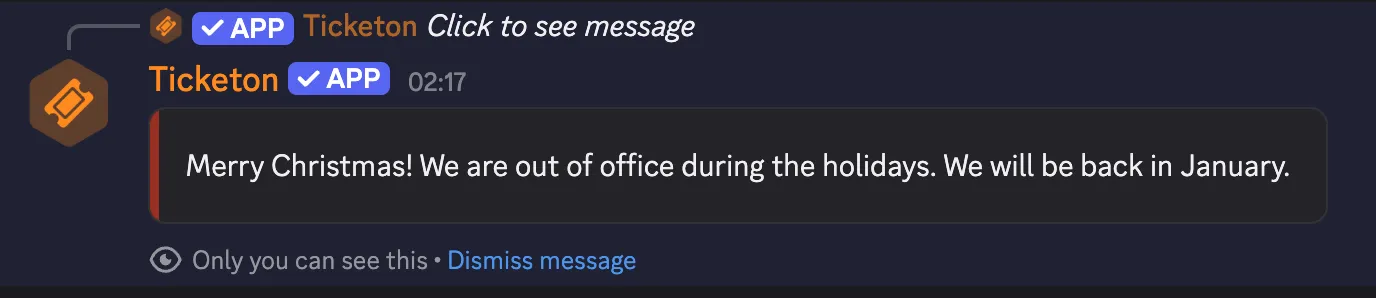
Section titled “Out of Office Notice”You can now set an out of office notice for your server!
When enabled, users will see this notice when they try to create a ticket, and ticket creation will be blocked until the notice is removed again.
19.12.2025
Section titled “19.12.2025”New Dashboard Features
Section titled “New Dashboard Features”You can now configure the allowed mentions for messages, which allows you to control who gets mentioned when the bot sends the message.
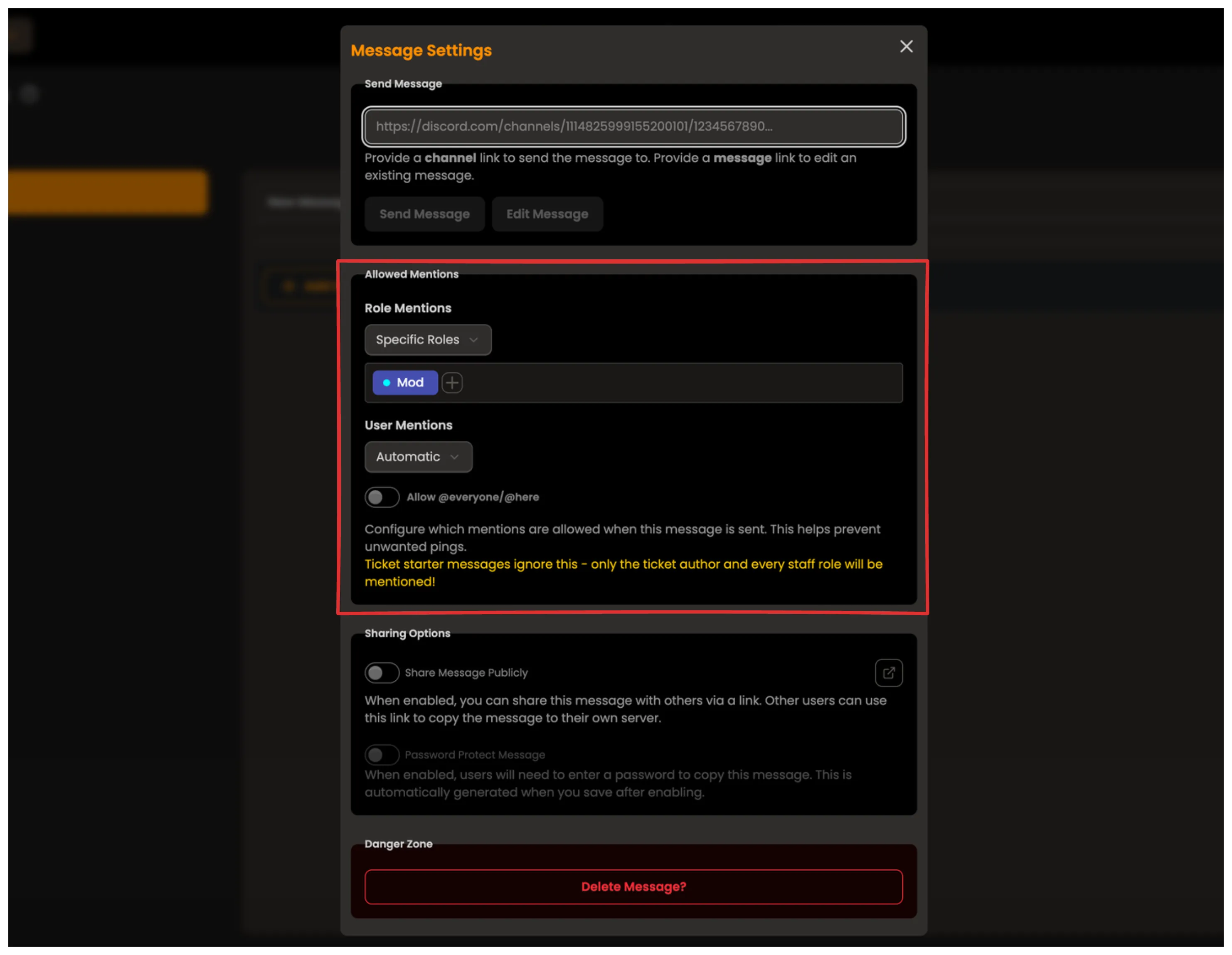
By default, all mentions are disabled to prevent unwanted pings. Previously, messages sent from the dashboard would also do this, but messages sent with commands would still mention everyone (not @everyone!) by default.
Read More
Dashboard Changes
Section titled “Dashboard Changes”- The Premium Overview page should now function correctly, instantly showing the correct premium status without needing to refresh the page.
18.12.2025
Section titled “18.12.2025”Dashboard Update
Section titled “Dashboard Update”Minor improvements to the dashboard UI:
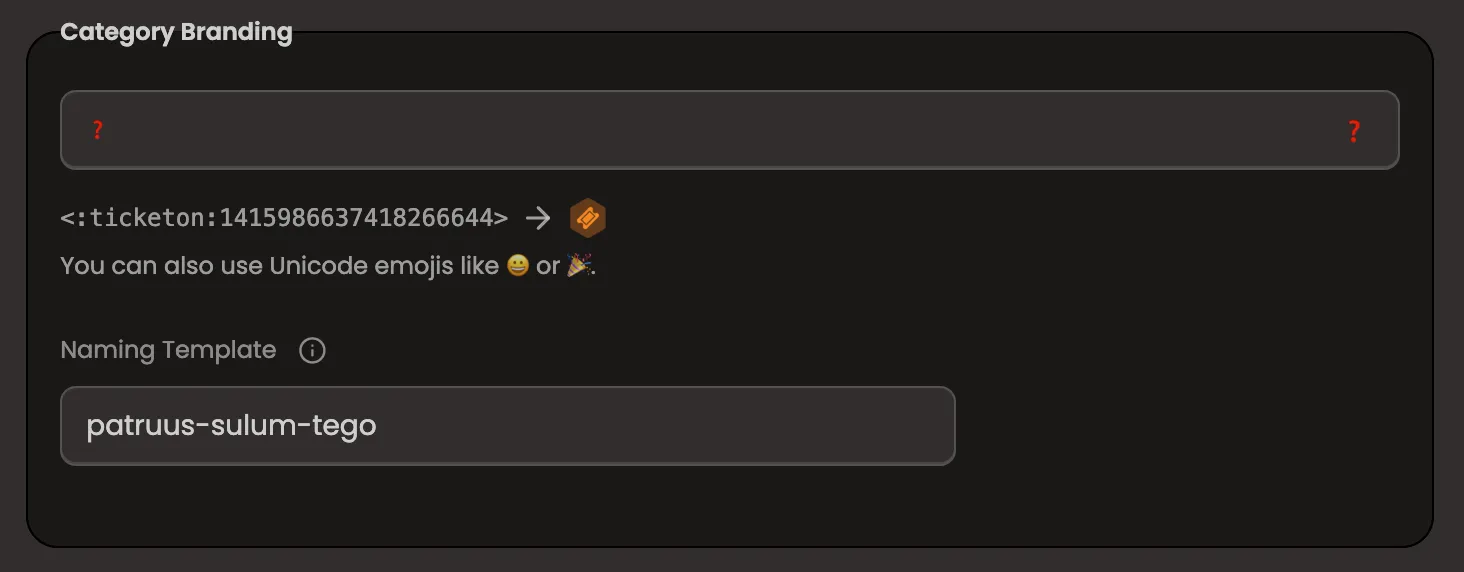
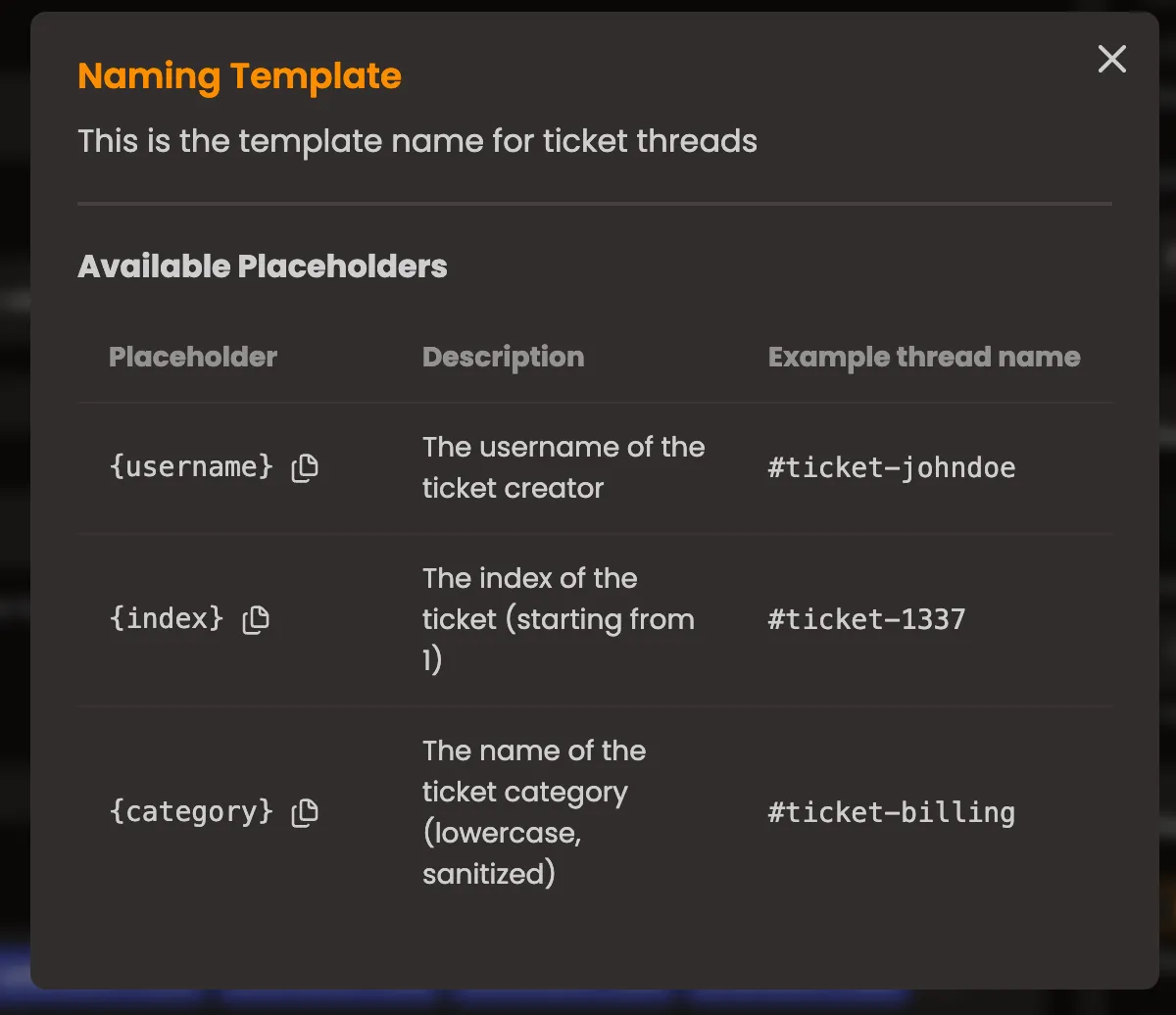
- the channel naming template is now available (this was forgotten before)
This also has a small info modal where you can also copy usable variables.
New Commands
Section titled “New Commands”/ticket rename- Rename the ticket channel to a new name./who-claimed- View who is currently handling the ticket.
17.12.2025
Section titled “17.12.2025”Dashboard Update
Section titled “Dashboard Update”- Minor Bug fixes with the forms editor.
- Next billing date for paddle subscriptions is now displayed in the premium overview.
- https://ticketon.app/trello now redirects to the new public trello board at https://trello.com/b/8mpb6ROW/ticketon
16.12.2025
Section titled “16.12.2025”Ticket Transfer Changes
Section titled “Ticket Transfer Changes”Previously, you could only transfer a ticket to another category by using the select menu from the ticket controls.
Now, you can also use the /transfer ticket command (this was forgotten before, although it was implemented).
There are also a number of changes to how ticket transfers work:
- When transferring a ticket and the new category has a form, and you want the user to fill out the form before transferring, the bot will not directly transfer the ticket, but instead will send a message to the ticket channel with a button that the user can click to fill out the form.
- By default, the user will not be asked to fill out the form (when there is one).
Read More About Ticket Transfers
11.12.2025
Section titled “11.12.2025”Fix Tickets Command!
You can now use the /fix-tickets command to fix inconsistencies with tickets in the database!
Read more about it on the Fix Tickets Command page.
More New Stuff
Section titled “More New Stuff”- The default starter message now also displays form results, if any are present.
The edge case that manually deleted ticket channels would not update the ticket status in the database has been fixed. A handler was added to listen for channel deletions and update the ticket status accordingly.
If the bot is offline when the channel is deleted, you can use the new /fix-tickets command to fix the inconsistencies.
14.11.2025
Section titled “14.11.2025”Forms File Upload Component!
You can now add a File Upload component to your forms in the dashboard!
This component allows users to upload files when submitting forms, with support for multiple files per field (up to a configurable maximum). Uploaded files are stored in a dedicated thread on the ticket’s starter message for easy access and context.
Key Features:
Section titled “Key Features:”- Limitations: File size is capped by the server’s upload limit or the user’s Nitro limit (whichever is lower). Supported types are determined by Discord.
- Message Label: Customize the label for the upload message in the thread. If not set, it defaults to the field label.
- Handling Oversized Files: Files exceeding the message size limit are grouped or linked to ensure they fit, maintaining clear context.
For more details, check out the Forms documentation.
Transcript Message Enhancements
The transcript message has been improved to include more detailed information about the form submission - including all form uploads!
This is because uploaded files are not preserved in the transcript.
05.11.2025
Section titled “05.11.2025”Message sharing/importing!
You can now share custom messages in the dashboard with others and also import shared messages from others!
Sharing Messages
Section titled “Sharing Messages”You can click the blue icon next to the message name in the message editor to open settings modal.
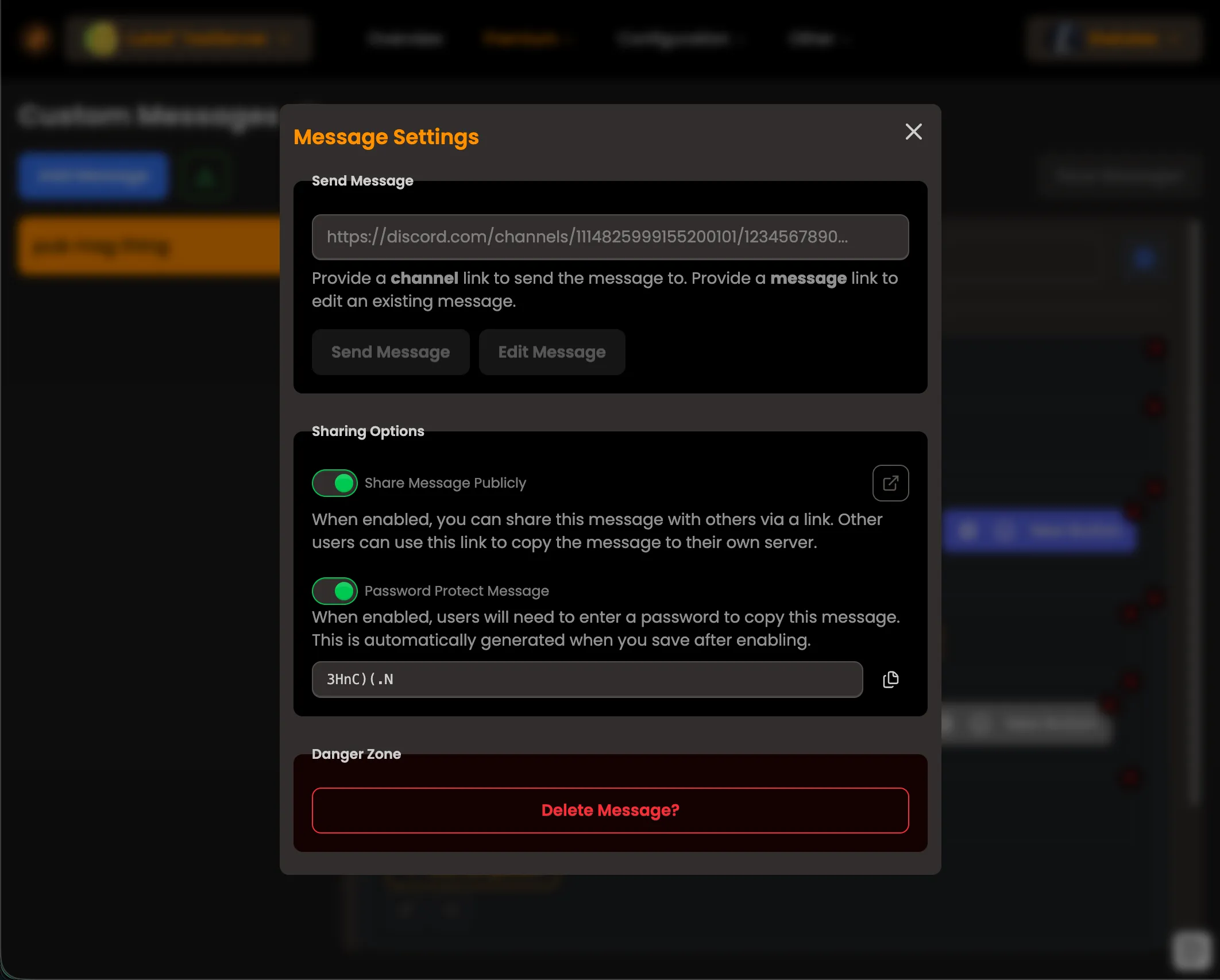
There you can toggle sharing on or off and also enable password protection for your shared message. If you enable password protection, a password gets generated that other users need to enter when importing your message. When sharing is enabled, a unique URL is generated that you can share with others.
Importing Shared Messages
Section titled “Importing Shared Messages”To import a shared message, go to the Custom Messages page in the dashboard and click the green button next to the “Create New Message” button to open the import modal.
There you need to paste the shared message URL and, if applicable, enter the password.
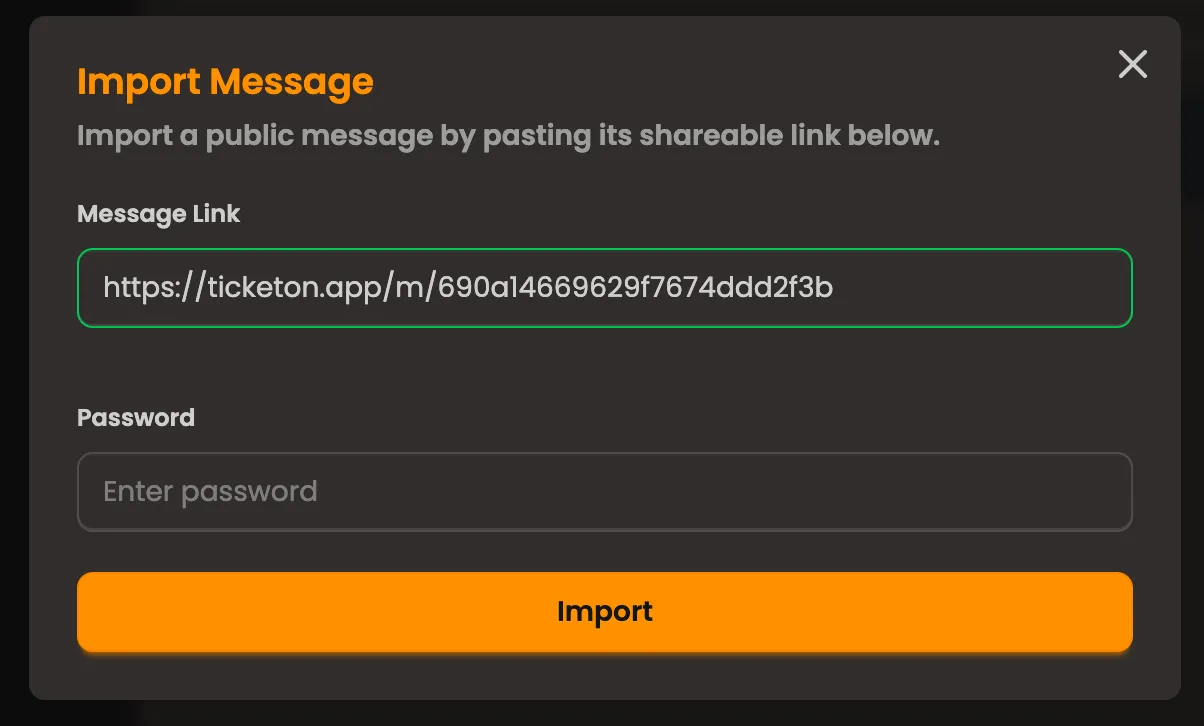
Note, that the password input only shows up if the shared message is password protected.
Message Preview
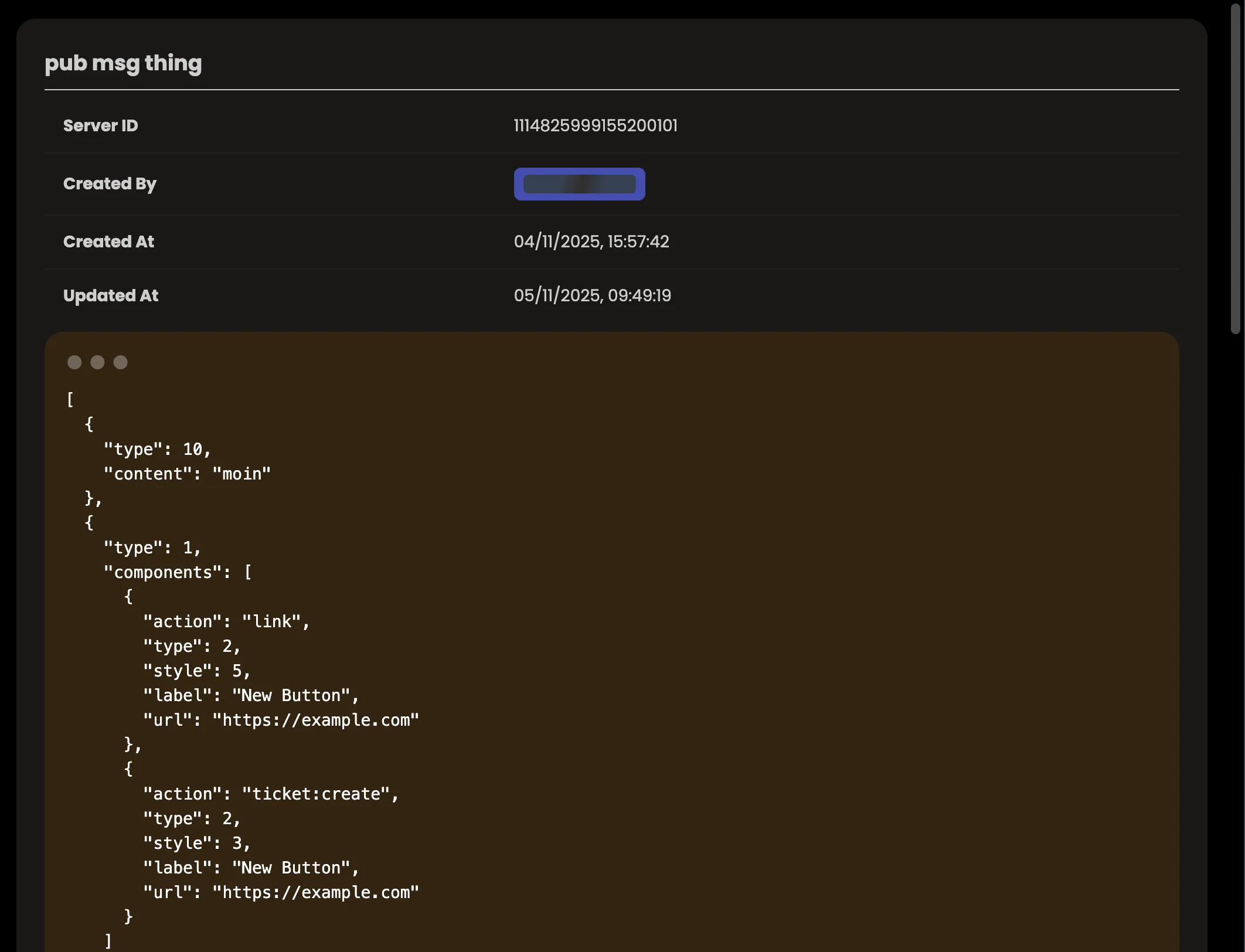
Section titled “Message Preview”When sharing is enabled for a message, the generated URL can be used to preview the message in read-only mode. However, the preview does not display the layout of how it will look in Discord because it would take very long to implement a full Discord message renderer. Maybe some time in the future…
04.11.2025
Section titled “04.11.2025”Blacklist!
It is now possible to blacklist users from creating tickets in your server!
This can be done using the new /blacklist command, which allows moderators to add, remove and check if a user is blacklisted.
Viewing the blacklist is not possible via a command, but soon it will be in the dashboard.
03.11.2025
Section titled “03.11.2025”Custom Messages Onboarding!
I’ve noticed that many people don’t understand how Components V2 work and how to work with it. To help with that, I’ve added a simple onboarding flow when you visit the Custom Messages page for the first time (per device).
It consists of four steps that explain the basics of Components V2 and how to use them.
02.11.2025
Section titled “02.11.2025”Big Fixes!
Today I fixed some major issues:
-
Forms with descriptions might not have been working.
- This was due to Discord not accepting empty strings as valid description values but wanting
undefinedinstead.
- This was due to Discord not accepting empty strings as valid description values but wanting
-
Closing your own ticket did not work, even though you were a manager.
- This was due to a logic error in the permission checking code. It checked if you were the ticket owner first, and if you were, it would not check for manager permissions.
Now it checks for manager permissions first, and if you are a manager, you can close your own ticket.
- This was due to a logic error in the permission checking code. It checked if you were the ticket owner first, and if you were, it would not check for manager permissions.
30.10.2025
Section titled “30.10.2025”Localization Update!
Section titled “Localization Update!”The full bot is now localized! All bot messages and interactions are available in English (default) and German.
There is a difference between the client-localization and the server-localization:
- Command localization is determined by the language your Discord client is set to.
- Server-localization is determined by the language set in the dashboard for your server (on the overview page).
You can assume that every public message uses server-scoped localization, while interactions (commands, components) use client-localization.
Bug Fixes
Section titled “Bug Fixes”- Fixed an issue where some messages were not being localized correctly.
- Fixed an issue where the bot would not clear the locale cache correctly, causing incorrect messages to be sent for a short period of time after changing the server language.
- Fixed a major issue where the dashboard would not be able to retrieve user mentions. This was due to a Docker misconfiguration that prevented the website from reaching the bot’s API.
Additions
Section titled “Additions”- Added a more detailed close DM message, which includes information about the ticket
- Dashboard Redirects: When not logged in, the route you’re trying to access is now saved and you will be redirected there after logging in.
You can even use
/dash?next=/some/routeto specify a redirect route manually. (This only works for internal routes for security reasons.)
28.10.2025
Section titled “28.10.2025”Localization!
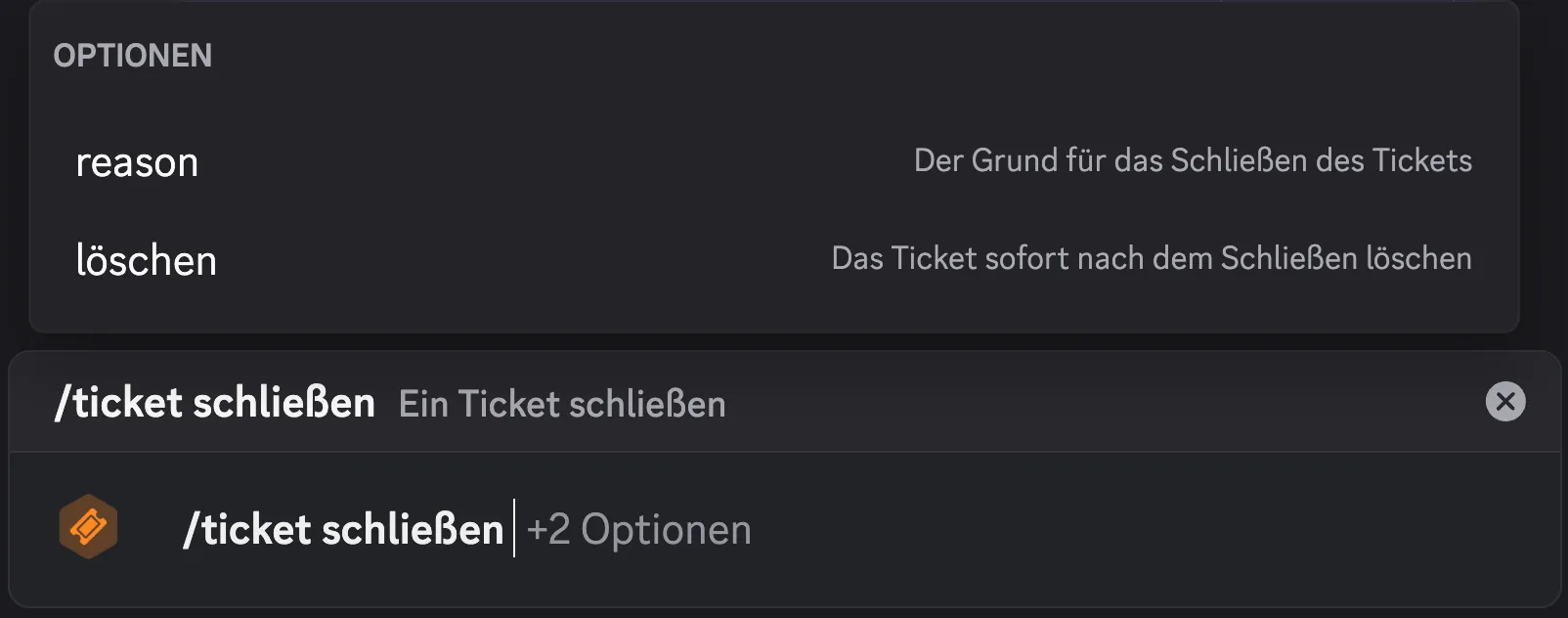
Section titled “Localization!”I’ve added the first localization to the project: Commands!
All commands now have English (default), German and French translations. This is determined by the language you have your Discord client set to.
There is more to come in the future, but this is a good start!
Examples
Section titled “Examples”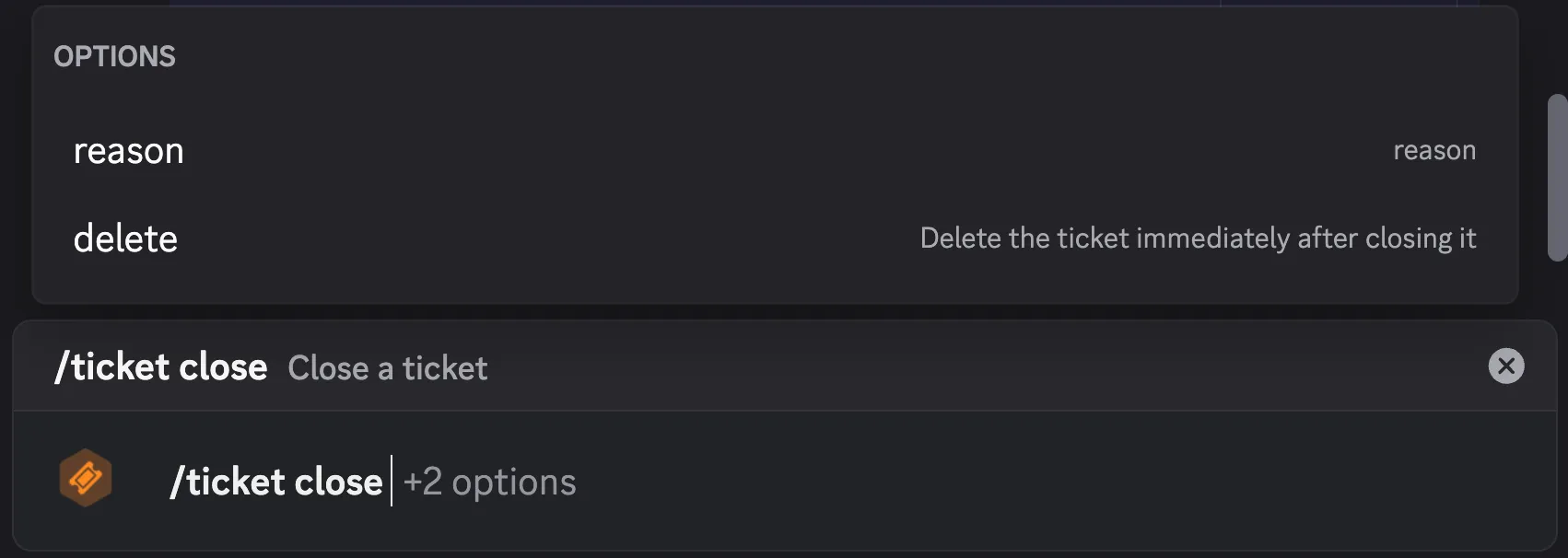
26.10.2025
Section titled “26.10.2025”Tickets Page
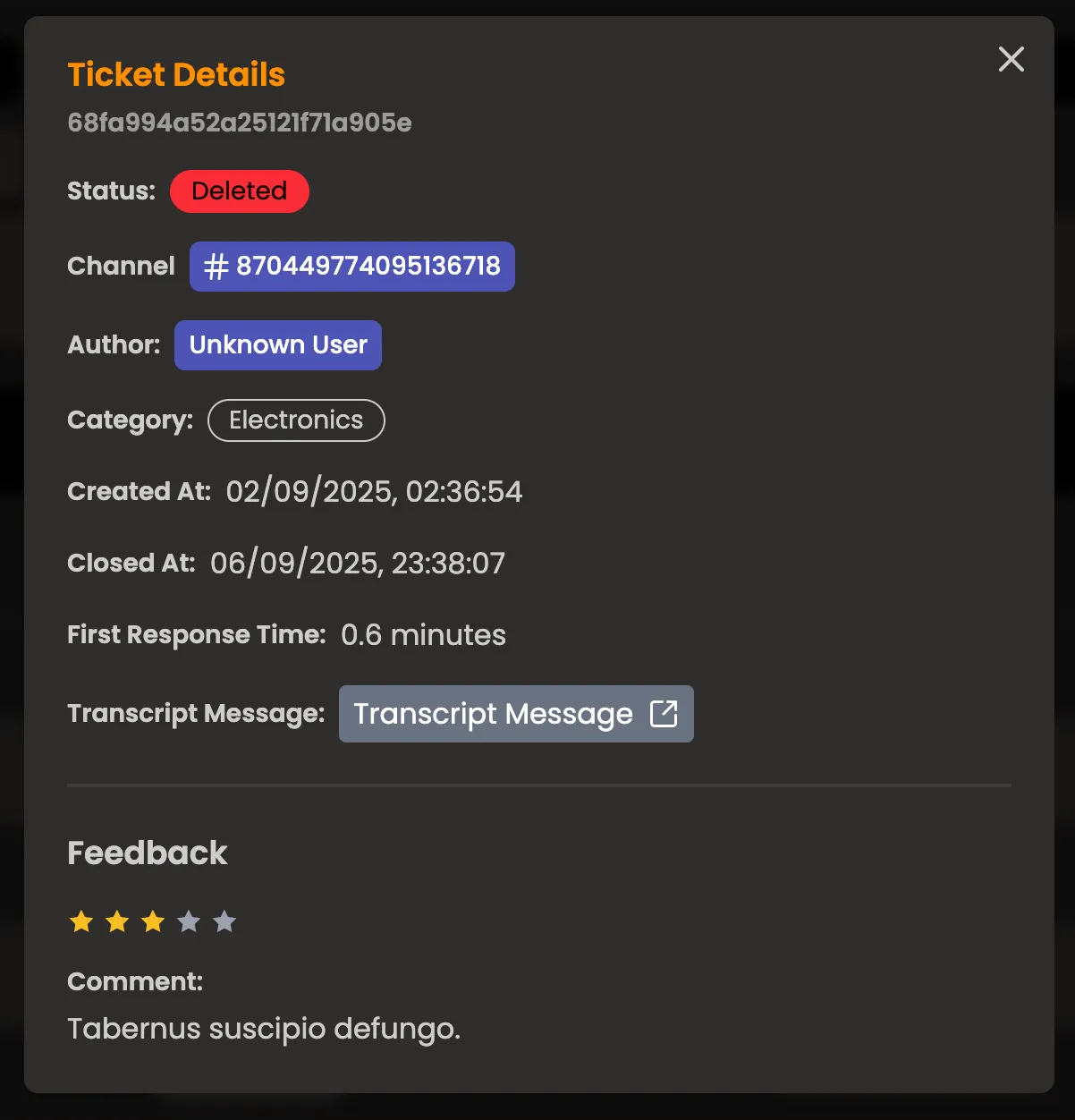
Section titled “Tickets Page”After much consideration, I have decided to change the feedback page into a tickets page. This page will allow server administrators to view the tickets of their server, along with detailed information about each ticket.
Additionally, if a ticket has feedback, it will be displayed on the ticket details page.
24.10.2025
Section titled “24.10.2025”Feedback Page
Section titled “Feedback Page”- Added a comprehensive feedback management page in the dashboard that allows server administrators to view and analyze user feedback about their support ticket experience.
- The backend uses MongoDB aggregation to join feedback documents with their corresponding tickets, allowing filtering by category while maintaining performance. Date range filters support ISO timestamps, and rating filters accept comma-separated values for multi-select functionality.
21.10.2025
Section titled “21.10.2025”- Added the functionality to DM the user who added the bot to a server.
- This works with discord’s webhook events feature, where I would get notified when the bot is added to a server, and then I can send a DM to the user who added it.
20.10.2025
Section titled “20.10.2025”- Fixed a bug where the ticket channel would be publicly visible to all users.
- The underlying issue was that the permission overwrites for the ticket channel would set the
VIEW_CHANNELpermission tofalsebut the overwrite type was set tomemberinstead ofrole, causing the permission to not apply correctly.
- The underlying issue was that the permission overwrites for the ticket channel would set the