
Command Permissions
When you can’t see a command in Discord, it’s likely because you don’t have the required permissions to access it. Some commands need default permissions, unless overwritten.
To see which default permissions a command requires, go to Server Settings > Integrations > Ticketon. Here, you can view the list of commands and when you click on one you can see the command’s settings.
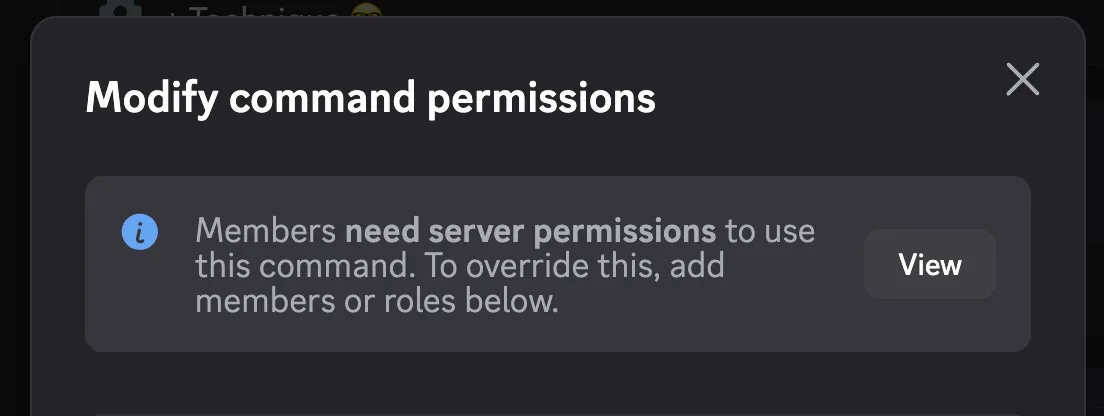
In the example above, the /config command does not have any explicit permissions set, so it requires the default permissions.
Click on the View button to see the default permissions required for this command.
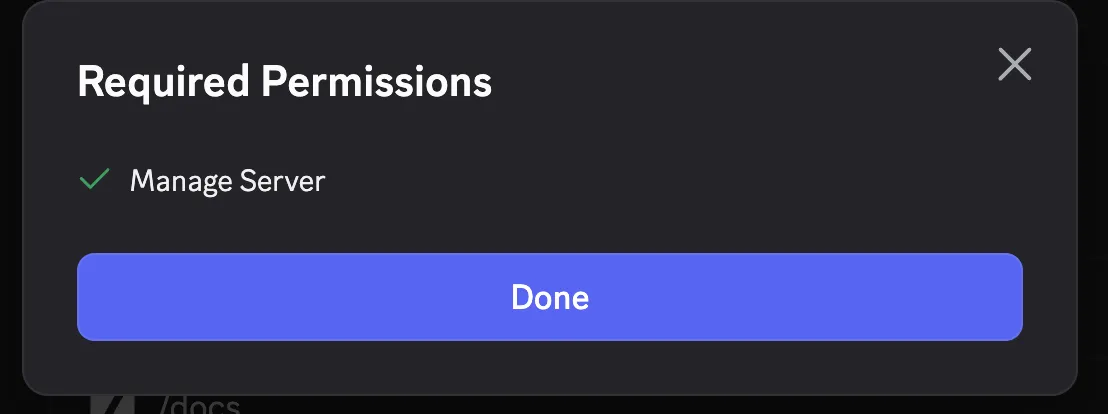
In this case, the command requires Manage Server permissions. If you don’t have that permission, you won’t see the command in Discord at all.
I have the required permissions but still can’t see the command
Section titled “I have the required permissions but still can’t see the command”No, you don’t. If you think you should have access to a command but can’t see it, check the following:
- Do you have the required permissions in the server? (e.g. Manage Server)
- Do you have the required permissions in the channel?
- Is your access restricted globally? (see below)
You can also set global commands permissions in Discord on the same page:
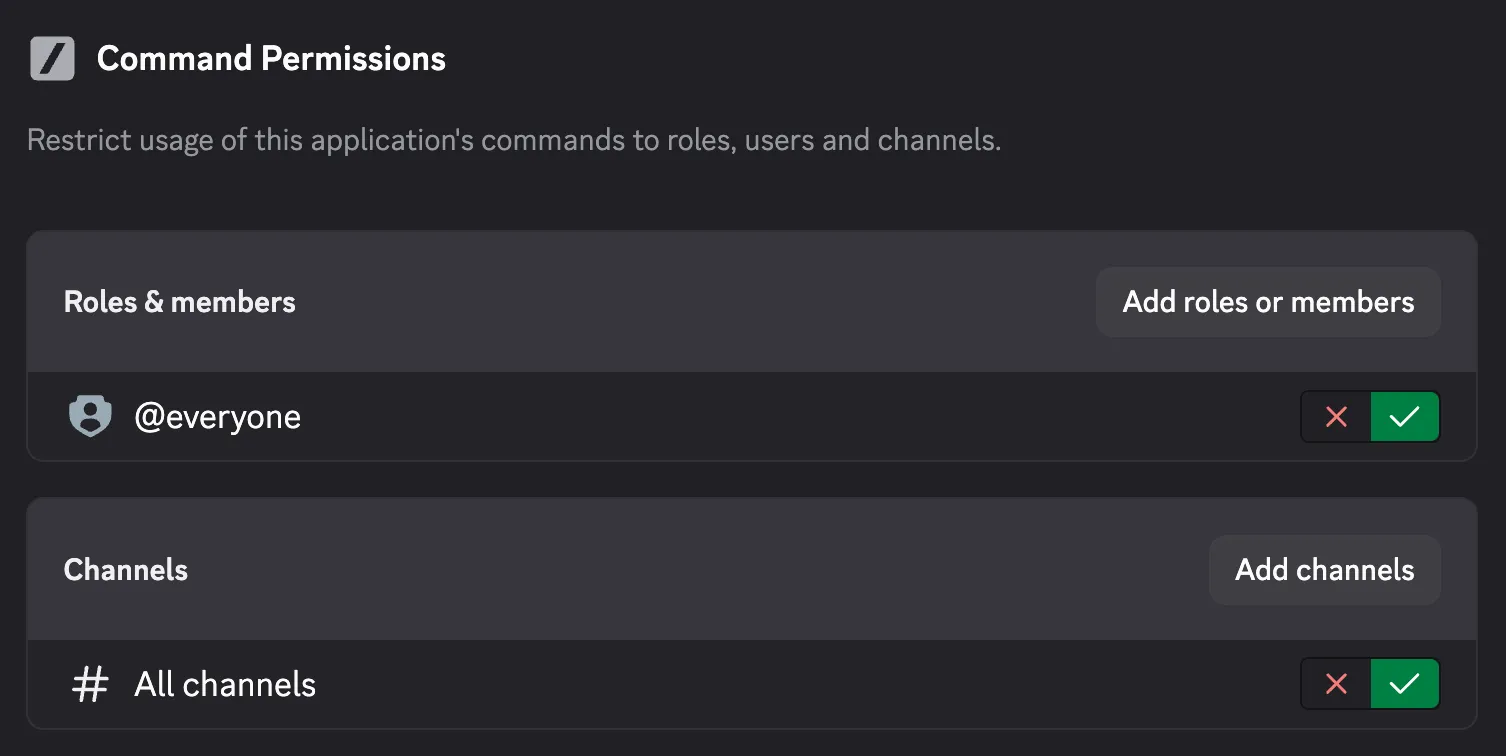
Be aware: Global command permissions do NOT override default command permissions - because Discord. If a command requires default permissions, you need to override the command’s permissions (see below for example) in order to override the default permissions.
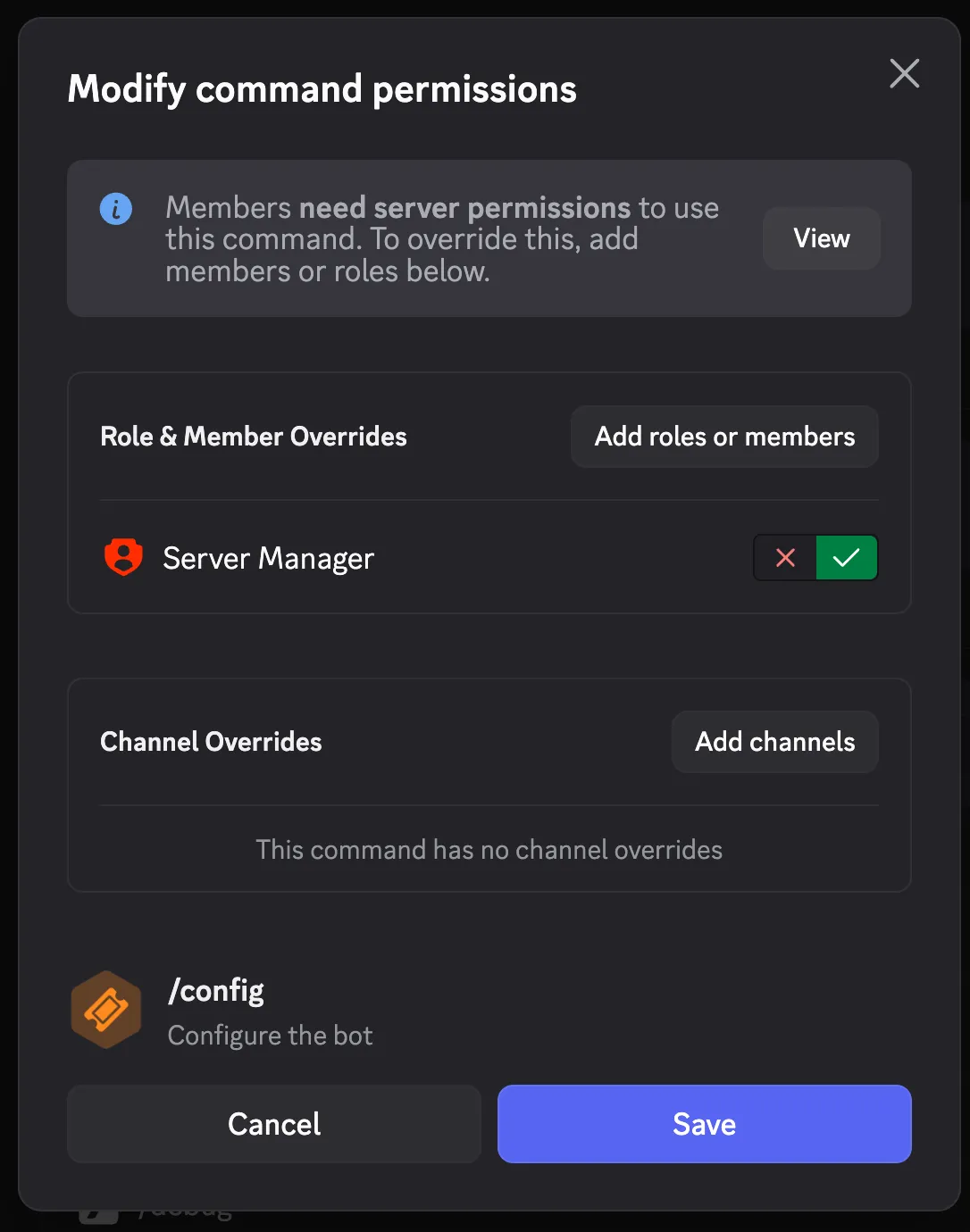
How Discord’s Command Permissions Work
Section titled “How Discord’s Command Permissions Work”Discord follows this hierarchy when determining if a user can see a command in a channel. First of all, a user needs Use Application Commands permissions in the channel or server to see any commands at all.
Then, for each command, Discord checks whether:
- Command has role or channel overrides OR
- Command has global permission configuration OR
- Command requires default permissions (e.g. Manage Server) and user has them
How Ticketon’s Access Control System Interacts with Command Permissions
Section titled “How Ticketon’s Access Control System Interacts with Command Permissions”Ticketon’s Access Control system can further restrict access to commands beyond Discord’s native permissions. However, these are only checked if a user executes a command. If a user doesn’t have the required permissions to see a command in Discord, they won’t be able to execute it and thus won’t encounter Ticketon’s Access Control checks.
Common Issues
Section titled “Common Issues”I have set explicit permissions in the dashboard but still can’t see the command
The explicit permissions set in Ticketon’s dashboard are only for when a user executes a command. They do not affect whether a user can see the command in Discord. If you want to control who can see a command, you need to use Discord’s native command permissions as described above.
I have the required permissions but still can’t see the command
If you have the required permissions but still can’t see the command, check if there are any channel-specific overrides for that command in Discord. Sometimes, permissions can be overridden at the channel level, which can prevent you from seeing the command even if you have the necessary permissions globally.