
Missing Permissions
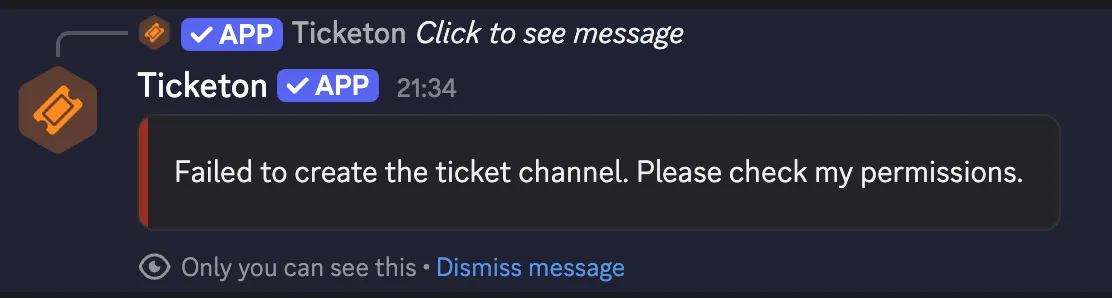
This is what you might see if you try to create a ticket:
Check Bot Permissions for the Category: Ticketon follows the principle of least privilege. You have two options:
Option 1: Add Ticketon to the Category (Recommended)
Section titled “Option 1: Add Ticketon to the Category (Recommended)”- Add the Ticketon role (or bot user) to the category where tickets are created
- The bot will inherit permissions from the server-level role settings
- This is the most secure approach
Option 2: Grant Manage Server Permission
Section titled “Option 2: Grant Manage Server Permission”- Give the Ticketon role the “Manage Server” permission
- This grants the bot broader access across the server
- Only use this if you fully trust the bot
Check Bot Permissions for the Channel: Ticketon follows the principle of least privilege. You have two options:
Option 1: Add Ticketon to the Channel (Recommended)
Section titled “Option 1: Add Ticketon to the Channel (Recommended)”- Add the Ticketon role (or bot user) to the channel where tickets are created
- The bot will inherit permissions from the server-level role settings and the category-level settings (if in a category)
- This is the most secure approach
Option 2: Grant Manage Server Permission
Section titled “Option 2: Grant Manage Server Permission”- Give the Ticketon role the “Manage Server” permission
- This grants the bot broader access across the server
- Only use this if you fully trust the bot
Debugging Missing Permissions
Section titled “Debugging Missing Permissions”You can use the /debug command to check which permissions are missing. It will go through the configuration of the
selected ticket category and will show you which permissions are missing for the respective configuration.