
Create Ticket Command
The /create-ticket command allows users to create a new support ticket in the server without the need to use buttons/select menus.
This command is available to all members by default and does not require any special permissions.
When a user executes the /create-ticket command, the bot handles it like the user interacted with a panel message, either by opening a modal form (if configured) or directly creating the ticket.
How to disable the command
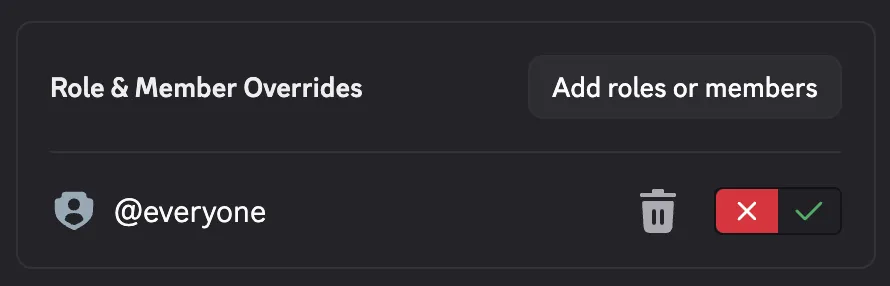
Section titled “How to disable the command”To disable the /create-ticket command usage, you have to go in the Server Settings > Integrations > Ticketon > /create-ticket and disallow the usage for @everyone.
Using Threads
Section titled “Using Threads”This command is not usable when the category has the Use Threads option enabled.